

Introduction
Hi, developers, welcome to use Dewatermark's API. The following are some basic introductions to your access service. Hope you can find the AI technology capabilities that are suitable for your business here. Thank you for using!
Authentication
To authorize, use this code:
import requests

API_KEY = "YOUR_API_KEY"
headers = {
    "X-API-KEY": API_KEY
}

# Make API request
response = requests.get(
    "https://platform.dewatermark.ai/api/object_removal/v2/erase_watermark",
    headers=headers
)
# With shell, you can just pass the correct header with each request
curl "https://platform.dewatermark.ai/api/object_removal/v2/erase_watermark" \
  -H "X-API-KEY: <API-KEY>"
Make sure to replace
<API-KEY>with your API key.
Dewatermark uses API keys to allow access to the API. You can receive your unique API key by signing up and opening API managent page).
The API key must be included in all API requests to the server in a header that looks like the following:
X-API-KEY: API_KEY
Image Processing API
Remove Watermark
Remove Watermark
import requests
import base64
import uuid
import os
from io import BytesIO


def erase_watermark(original_preview_image=None, mask_base=None, mask_brush=None, session_id=None, remove_text="true"):
    API_KEY = "YOUR_API_KEY"
    erase_url = "https://platform.dewatermark.ai/api/object_removal/v2/erase_watermark"
    headers = {
        "X-API-KEY": API_KEY
    }
    erase_files = {}

    if original_preview_image is not None:
        if isinstance(original_preview_image, str) and os.path.isfile(original_preview_image):
            image_file = open(original_preview_image, "rb")
            file_original_preview_image = ("original_preview_image.jpeg", image_file)
        else:
            image_bytes = base64.b64decode(original_preview_image)
            image_file = BytesIO(image_bytes)
            file_original_preview_image = ("original_preview_image.jpeg", image_file)
        erase_files["original_preview_image"] = file_original_preview_image
    else:
        if session_id is not None:
            erase_files["session_id"] = (None, session_id)
        else:
            raise ValueError("Either original_preview_image or session_id must be provided.")


    if mask_base is not None:
        image_bytes = base64.b64decode(mask_base)
        image_file = BytesIO(image_bytes)
        file_mask_base = ("mask_base.jpeg", image_file)

    if mask_brush is not None:
        image_file = open(mask_brush, "rb")
        file_mask_brush = ("mask_brush.png", image_file)


    if original_preview_image is not None:
        erase_files["original_preview_image"] = file_original_preview_image

    if mask_base is not None:
        erase_files["mask_base"] = file_mask_base

    if mask_brush is not None:
        erase_files["mask_brush"] = file_mask_brush

    erase_files["remove_text"] = (None, remove_text)
    data = {"predict_mode": "3.0"}
    erase_response = requests.post(erase_url, headers=headers, files=erase_files, data = data)

    response_data = erase_response.json()
    return {
        "session_id": response_data["session_id"],
        "image_base64": response_data["edited_image"]["image"],
        "mask_base": response_data["edited_image"]["mask"]
    }

# Initial call: Automatically detect and remove visible watermarks using AI
auto_result = erase_watermark("input.jpeg")

# Optional: Uncomment this line to preview the auto-processed result (Base64-encoded image)
output_image_path = "output_image.jpg"
image_data = base64.b64decode(auto_result['image_base64'])
with open(output_image_path, 'wb') as f:
    f.write(image_data)
print(f"Image saved to {output_image_path}")


# Manual refinement: If some watermarks remain, manually specify areas to remove using a brush mask
# manual_result_step_1 = erase_watermark(
#     original_preview_image=auto_result["image_base64"],
#     mask_base=auto_result["mask_base"],
#     mask_brush="mask_brush_manual_step_1.png"
# )

# Optional: Uncomment this line to preview the result after first manual correction
# print(manual_result_step_1["image_base64"])

# Optimization: On subsequent calls, use session_id instead of re-uploading the original image
# manual_result_step_2 = erase_watermark(
#     session_id=manual_result_step_1["session_id"],
#     mask_base=manual_result_step_1["mask_base"],
#     mask_brush="mask_brush_manual_step_2.png"
# )

# Output the final cleaned image (Base64 format)
# print(manual_result_step_2["image_base64"])
curl -X POST "https://platform.dewatermark.ai/api/object_removal/v2/erase_watermark" \
  -H "X-API-KEY: API_KEY" \
  --form 'session_id="SESSION_ID"' \
  --form 'original_preview_image=@"IMAGE_FILE"' \
  --form 'mask_base=@"MASK_BASE_FILE"'\
  --form 'mask_brush=@"MASK_BRUSH_FILE"' \
  --form 'remove_text="true"'
  --form 'predict_mode="3.0"'
This API allows you to remove watermark from an image and seamlessly inpaint the erased area to blend it naturally with the surrounding background. Each remove watermark image API call is counted as 1 credits.
The above command returns JSON structured like this:
{
  "edited_image": {
    "image": "BASE_64_IMAGE",
    "image_id": "image_id",
    "mask": "BASE64_MASK",
    "watermark_mask":"BASE64_MASK"
  },
  "event_id": "event_id",
  "session_id": "session_id"
}
HTTP Request
POST https://platform.dewatermark.ai/api/object_removal/v2/erase_watermark
Request body
| Form | Required | Type | Description |
|---|---|---|---|
| original_preview_image | Optional | binary | The input image, it should be a JPEG image and the largest dimension is not greater than 6000 px. |
| session_id | Optional | text | The session id, it represents the current image. |
| mask_base | Optional | text | The masked image of the previously erased parts. |
| mask_brush | Optional | binary | The mask image for the Remove Object API should include a binary representation of the unwanted object's outline, delineating the area to be removed and inpainted. |
| remove_text | Optional | text | If set to 'true', enables the text removal feature for improved results when removing purely textual watermarks. Note that this may remove all text from your image. |
| predict_mode | Optional | text | You can choose between "old" (2.0) or "3.0", 2.0 works best for emoji while 3.0 work for most cases. Its default value is 3.0 |
In the request form data, while either original_preview_image or session_id parameter is required, it is recommended to include session_id if it's already available.
The inital request doesn't require mask_base and mask_brush.
Response
| Property | Description |
|---|---|
| edited_image.image | The result after removing object, it it's a base64 encoded image. |
| edited_image.watermark_mask | This is the masked image of all previously erased parts. |
Continuing Watermark Removal with Manual Refinement
Here's a complete example that demonstrates the watermark removal process with automatic detection and manual refinement:
The process works as follows:
Initial Input Image

Automatic Watermark Detection and Removal
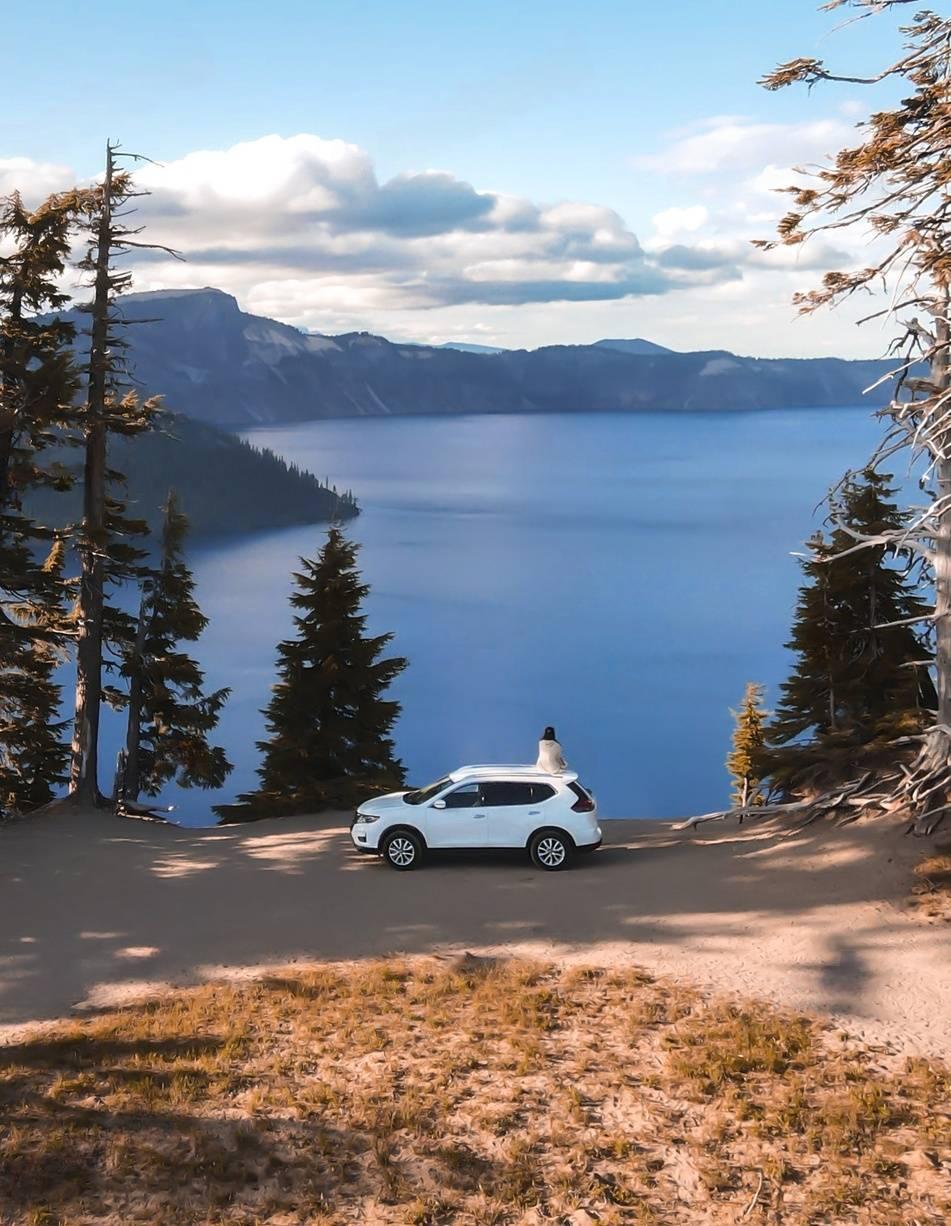
First Manual Correction

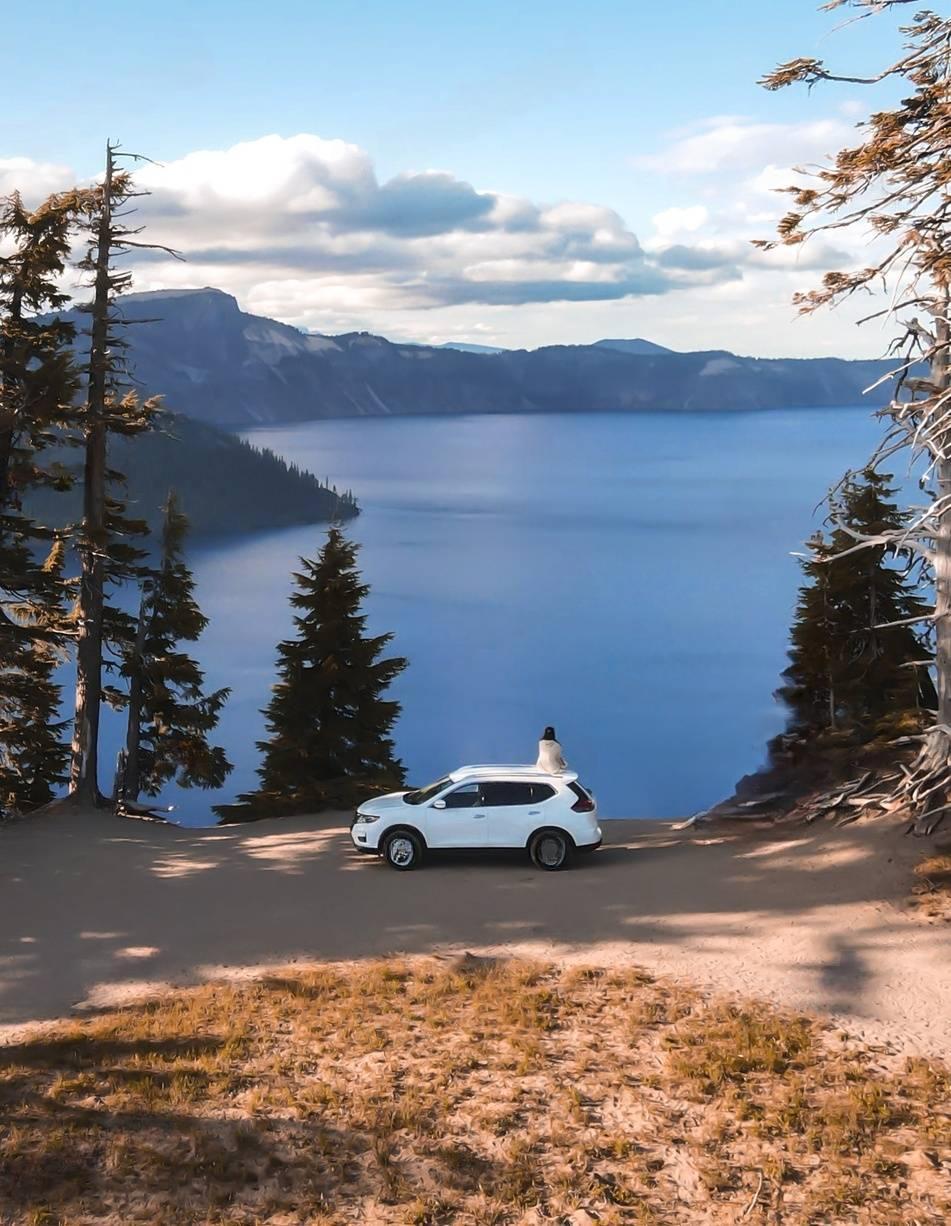
Second Manual Correction

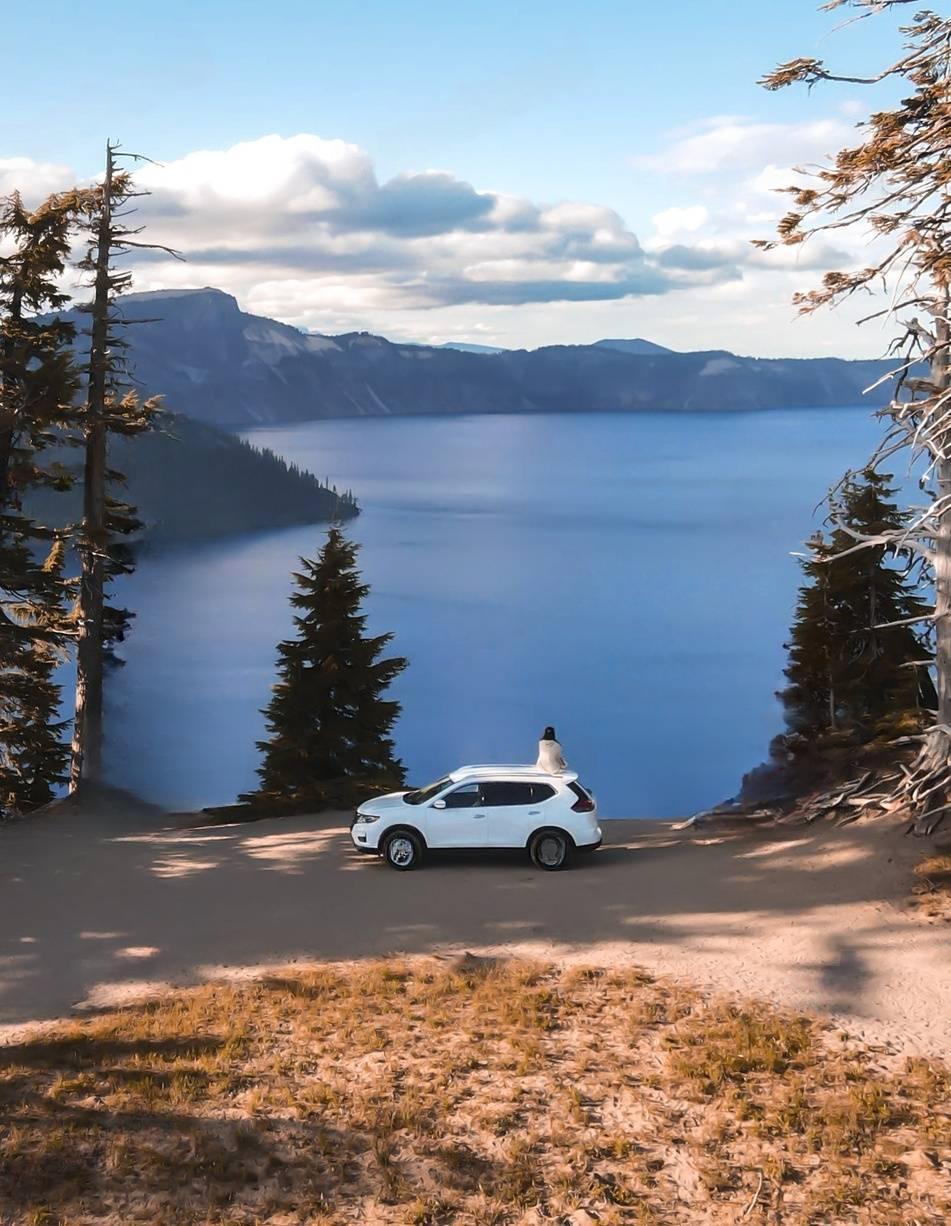
This example demonstrates the complete workflow for removing watermarks: 1. Start with automatic watermark detection and removal 2. If needed, perform manual corrections using brush masks 3. Use session_id for subsequent refinements to optimize the process
The images show the progression from the original image through each step of the watermark removal process, including the manual masks used for refinement.
Even after the initial API call, you can achieve even more precise results by manually specifying the remaining watermark area you want to erase. Here's the process:
Manual Selection: Define a mask that isolates the specific part of the image containing the remaining watermark or unwanted element. This mask acts as a guide for the API.
API Call with Session ID and Mask: Make a subsequent API call to remove the designated area. Remember to include these important parameters:
original_preview_image: The output image (edited_image.image) from the previous automatic Watermark removal. For the first manual refinement, you must send this output image from the initial API call. It should be a JPEG image, and the largest dimension is not greater than 1920.
session_id: This unique identifier is generated during the initial watermark removal process. It allows the API to link your refinement request to the specific image you're working on. In the second manual refinement, you must use this session_id instead of original_preview_image.
mask_brush: This parameter allows you to provide a new, more refined mask that focuses on the remaining watermark area you want to erase.
remove_text: If you want to enable the text removal feature, set remove_text to 'true' in the request body to remove text from the image. If the watermark is purely text, enable the text remover for improved results. Note that this may remove all text from your image.
By following these steps, you can iteratively remove watermarks and achieve a highly refined final image.
Video Watermark Removal
The Video Watermark Removal API allows you to remove watermarks from video files. The process involves four steps: generating an upload URL, uploading the video file, submitting the task, and polling for completion.
Video Requirements
Pricing
The credit cost is 0.2 credits per second, which equals 1 credit for a 5-second video.
Any failed or timeout tasks will result in a credit refund.
Step 1: Generate Upload URL
import requests

API_KEY = "YOUR_API_KEY"
headers = {
    "X-API-KEY": API_KEY,
    "Content-Type": "multipart/form-data"
}

# Generate upload URL
upload_url = "https://platform.dewatermark.ai/api/video/v1/upload"
response = requests.post(upload_url, headers=headers)
data = response.json()

task_id = data["task_id"]
upload_signed_url = data["upload_signed_url"]
file_path = data["file_path"]

print(f"Task ID: {task_id}")
print(f"Upload URL: {upload_signed_url}")
curl --request POST \
  --url https://platform.dewatermark.ai/api/video/v1/upload \
  --header 'Content-Type: multipart/form-data' \
  --header 'X-API-KEY: YOUR_API_KEY'
This endpoint generates a signed URL for uploading your video file and creates a task ID for tracking.
HTTP Request
POST https://platform.dewatermark.ai/api/video/v1/upload
Response
The above command returns JSON structured like this:
{
  "task_id": "yIuf8WVuRE2pzP2WM48v",
  "upload_signed_url": "https://storage.googleapis.com/...",
  "file_path": "dewatermark-videos-asia-southeast1-prod/yIuf8WVuRE2pzP2WM48v",
  "status": "CREATED",
  "push_notification_token": null,
  "created_at": 1763794508
}
| Property | Description |
|---|---|
| task_id | Unique identifier for this video processing task |
| upload_signed_url | Signed URL to upload your video file (valid for limited time) |
| file_path | Internal storage path for the video |
| status | Current status of the task (CREATED) |
| created_at | Unix timestamp when the task was created |
Step 2: Upload Video File
import requests

# Use the upload_signed_url from Step 1
video_file_path = "path/to/your/video.mp4"

with open(video_file_path, 'rb') as video_file:
    headers = {
        "Content-Type": "application/octet-stream"
    }

    upload_response = requests.put(
        upload_signed_url,
        data=video_file,
        headers=headers
    )

    if upload_response.status_code == 200:
        print("Video uploaded successfully")
    else:
        print(f"Upload failed with status code: {upload_response.status_code}")
# Replace UPLOAD_SIGNED_URL with the URL from Step 1
curl --request PUT \
  --url "UPLOAD_SIGNED_URL" \
  --header 'Content-Type: application/octet-stream' \
  --data-binary '@/path/to/your/video.mp4'
Upload your video file to the signed URL obtained in Step 1.
Important Notes
- Use HTTP PUT method (not POST)
- Set
Content-Typeheader toapplication/octet-stream - Send the video file as binary data
- For detailed information about using signed URLs, refer to Google Cloud Storage documentation
Step 3: Submit Task
import requests

API_KEY = "YOUR_API_KEY"
submit_url = "https://platform.dewatermark.ai/api/video/v1/tasks"

headers = {
    "X-API-KEY": API_KEY
}

data = {
    "task_id": task_id  # From Step 1
}

files = {
    "mask_brush": open("mask_brush_file.png", "rb")  # Optional: helps AI focus on specific regions
}

response = requests.post(submit_url, headers=headers, data=data, files=files)
result = response.json()

print(f"Task submitted: {result}")
curl --request POST \
  --url https://platform.dewatermark.ai/api/video/v1/tasks \
  --header 'Content-Type: multipart/form-data' \
  --header 'X-API-KEY: YOUR_API_KEY' \
  --form 'task_id=yIuf8WVuRE2pzP2WM48v'\
  --form 'mask_brush=@mask_brush_file'
Submit the task for processing after the video upload is complete.
HTTP Request
POST https://platform.dewatermark.ai/api/video/v1/tasks
Request Parameters
| Parameter | Required | Type | Description |
|---|---|---|---|
| task_id | Yes | string | The task ID obtained from Step 1 |
| mask_brush | No | Binary File | Mask image to help AI focus on removing specific regions only, improving speed and accuracy |
"mask_brush" is optional, it help AI focus on removing specific regions only, improving speed and accuracy. The mask should be the same size as the video input, it's an PNG image like 
Step 4: Poll Task Status
import requests
import time

API_KEY = "YOUR_API_KEY"
status_url = f"https://platform.dewatermark.ai/api/video/v1/tasks/{task_id}"

headers = {
    "X-API-KEY": API_KEY
}

# Poll until task is complete
while True:
    response = requests.get(status_url, headers=headers)
    task_data = response.json()

    status = task_data["status"]
    progress = task_data.get("progress", 0)

    print(f"Status: {status}, Progress: {progress}")

    if status == "COMPLETED":
        download_url = task_data["download_signed_url"]
        duration = task_data["duration"]
        print(f"Video processing completed!")
        print(f"Duration: {duration}s")
        print(f"Download URL: {download_url}")

        # Download the processed video
        video_response = requests.get(download_url)
        with open("processed_video.mp4", "wb") as f:
            f.write(video_response.content)
        print("Video downloaded successfully")
        break

    elif status == "FAILED":
        print("Task failed. Credits will be refunded.")
        break

    # Wait before polling again
    time.sleep(5)
curl --request GET \
  --url https://platform.dewatermark.ai/api/video/v1/tasks/yIuf8WVuRE2pzP2WM48v \
  --header 'X-API-KEY: YOUR_API_KEY'
Poll this endpoint to check the status of your video processing task.
HTTP Request
GET https://platform.dewatermark.ai/api/video/v1/tasks/{task_id}
Response
The above command returns JSON structured like this:
{
  "created_at": 1763794508,
  "task_id": "yIuf8WVuRE2pzP2WM48v",
  "has_watermark": true,
  "instance_name": "snapedit-dewatermark-video-prod-northeast3-zrtv",
  "progress": 1,
  "file_path": "dewatermark-videos-asia-southeast1-prod/yIuf8WVuRE2pzP2WM48v",
  "completed_at": 1763794728,
  "upload_signed_url": "https://storage.googleapis.com/...",
  "push_notification_token": null,
  "duration": 51.3,
  "status": "COMPLETED",
  "download_signed_url": "https://storage.googleapis.com/...",
  "started_at": 1763794550
}
| Property | Description |
|---|---|
| task_id | Unique identifier for the task |
| status | Current status (CREATED, PROCESSING, COMPLETED, FAILED) |
| progress | Processing progress (0 to 1) |
| has_watermark | Whether watermark was detected in the video |
| duration | Video duration in seconds |
| created_at | Unix timestamp when task was created |
| started_at | Unix timestamp when processing started |
| completed_at | Unix timestamp when processing completed |
| download_signed_url | Signed URL to download the processed video (valid for 2 days) |
| file_path | Internal storage path |
| instance_name | Processing instance name |
Download Signed URL
The download_signed_url is valid for 2 days from task completion. Use this URL to download your processed video file.
Status Values
| Status | Description |
|---|---|
| CREATED | Task has been created but not yet submitted |
| PROCESSING | Video is being processed |
| COMPLETED | Processing completed successfully, video is ready for download |
| FAILED | Processing failed, credits will be refunded |
Complete Workflow Example
import requests
import time

API_KEY = "YOUR_API_KEY"
VIDEO_FILE_PATH = "input_video.mp4"

# Step 1: Generate upload URL
print("Step 1: Generating upload URL...")
upload_response = requests.post(
    "https://platform.dewatermark.ai/api/video/v1/upload",
    headers={"X-API-KEY": API_KEY, "Content-Type": "multipart/form-data"}
)
upload_data = upload_response.json()
task_id = upload_data["task_id"]
upload_signed_url = upload_data["upload_signed_url"]
print(f"Task ID: {task_id}")

# Step 2: Upload video file
print("Step 2: Uploading video...")
with open(VIDEO_FILE_PATH, 'rb') as video_file:
    upload_result = requests.put(
        upload_signed_url,
        data=video_file,
        headers={"Content-Type": "application/octet-stream"}
    )
print(f"Upload status: {upload_result.status_code}")

# Step 3: Submit task
print("Step 3: Submitting task...")
submit_response = requests.post(
    "https://platform.dewatermark.ai/api/video/v1/tasks",
    headers={"X-API-KEY": API_KEY, "Content-Type": "multipart/form-data"},
    data={"task_id": task_id}
)
print("Task submitted")

# Step 4: Poll for completion
print("Step 4: Polling for completion...")
status_url = f"https://platform.dewatermark.ai/api/video/v1/tasks/{task_id}"
while True:
    status_response = requests.get(
        status_url,
        headers={"X-API-KEY": API_KEY}
    )
    task_data = status_response.json()
    status = task_data["status"]
    progress = task_data.get("progress", 0)

    print(f"Status: {status}, Progress: {progress * 100}%")

    if status == "COMPLETED":
        download_url = task_data["download_signed_url"]
        duration = task_data["duration"]
        cost = duration * 0.2

        print(f"Processing completed!")
        print(f"Video duration: {duration}s")
        print(f"Credit cost: {cost} credits")

        # Download processed video
        video_data = requests.get(download_url).content
        with open("output_video.mp4", "wb") as f:
            f.write(video_data)
        print("Video downloaded to output_video.mp4")
        break

    elif status == "FAILED":
        print("Processing failed. Credits will be refunded.")
        break

    time.sleep(5)
Tracking Credit Balance
import requests

API_KEY = "YOUR_API_KEY"
headers = {
    "X-API-KEY": API_KEY
}

response = requests.get(
    "https://platform.dewatermark.ai/api/creditInfo",
    headers=headers
)

data = response.json()
print(f"Available credit: {data['data']['available_credit']}")
curl --request GET \
  --url https://platform.dewatermark.ai/api/creditInfo \
  --header 'X-API-KEY: YOUR_API_KEY'
You can use this API to get the credit balance.
HTTP Request
GET https://platform.dewatermark.ai/api/creditInfo
Response
The above command returns JSON structured like this:
{
  "status": "OK",
  "data": {
    "available_credit": 1000,
    "user_id": "user_id"
  }
}
| Property | Description |
|---|---|
| status | Status of the request |
| data.available_credit | Your current available credit balance |
| data.user_id | Your user ID |
Errors
| Error Code | Meaning |
|---|---|
| 400 | Bad Request -- Your request is invalid. |
| 401 | Unauthorized -- Your API key is wrong. |
| 500 | Internal Server Error -- We had a problem with our server. Try again later. |
| 503 | Service Unavailable -- We're temporarily offline for maintenance. Please try again later. |